Platform
Dynamic forms
The form your crew already fills in on paper, with your rules.
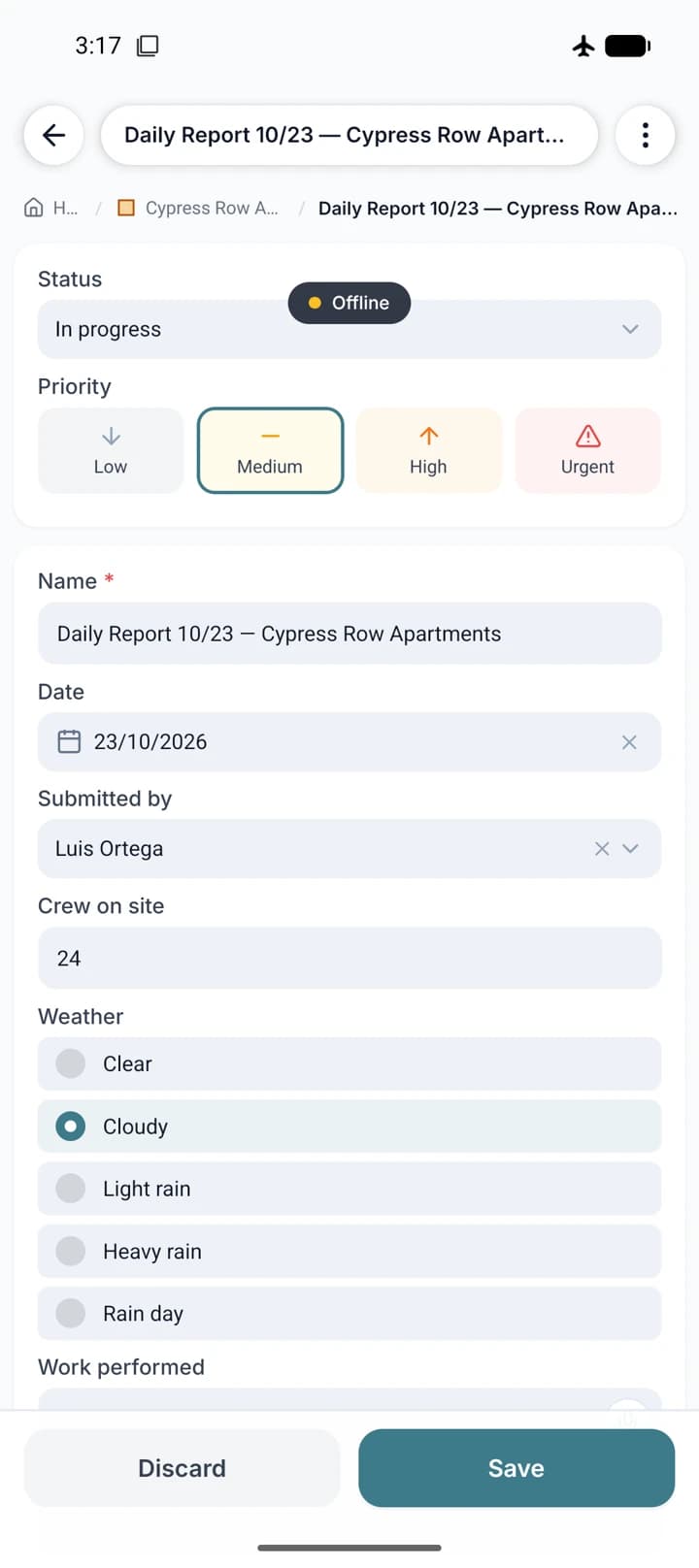
Every type of project, task, expense or asset has its own form, built by you: the fields, the order, what is required and which options each choice offers. The same form shows up in the office and on the phone, and stays fillable with no signal.
- Ten field types: short and long text, number, money, date, link, single choice, multiple choice, person and coordinates
- Repeating sections, for checklists and inspection rows
- Required fields that hold back submission for review
- Fields inherited from the parent project, filled in only once
Jos.IA builds the form with you
Describe what your crew writes down today and it proposes the whole form, with the fields and options in your vocabulary. Later, when the operation changes, it adjusts what already exists without breaking history: renaming a field keeps every value filled in, and renaming the options of a choice keeps the selections made.
- Form created from a conversation, not from a blank screen
- Rename a field or an option without losing any data already entered
- Field type changes warn you how many values would be affected
- Turn a choice field into the entity status, in bulk
One form per kind of thing
Forms are organised by type: project, task, expense, budget, person and asset. A project form also defines what can exist inside it, so the crew only sees the options that make sense at that level. To start quickly, you can clone an existing form and adjust it.
- Separate forms for project, task, expense, budget, person and asset
- Each project defines which subfolder and task types fit inside it
- Clone a finished form and adjust, instead of starting from scratch
- Nine industry presets for day one