Platform
Jos.IA, the assistant
Ask "how many hours did the crew spend on this site this week" and get the answer.
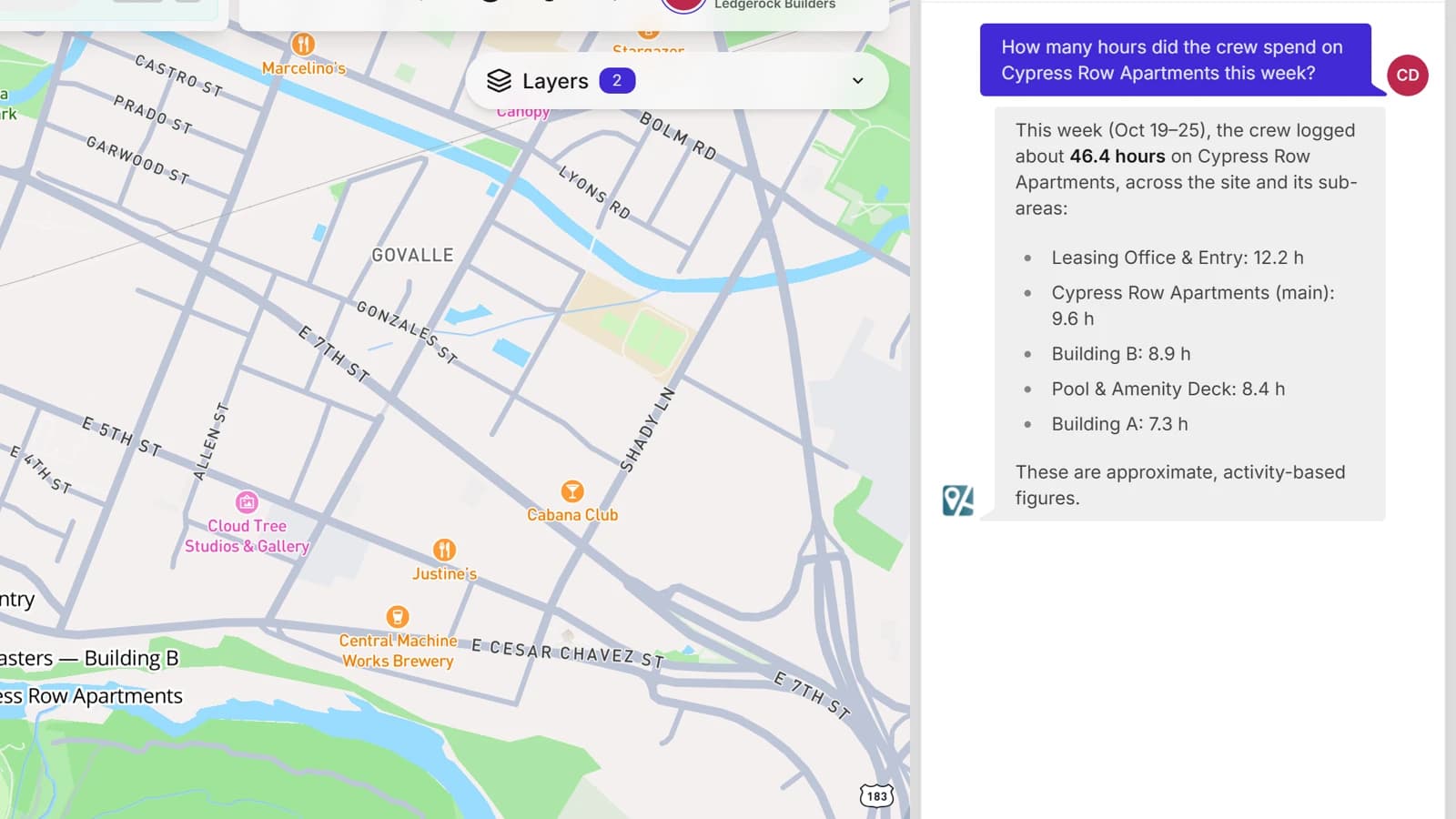
Jos.IA starts in the first minute: you describe how your company works and it builds folders, templates, fields and access profiles using your names. Then it becomes a colleague: it answers questions about projects, hours and expenses, and performs actions in the system with your confirmation.
- Conversational onboarding: the workspace ready in minutes, in your terminology
- Natural-language questions about projects, tasks, hours and costs
- Imports spreadsheets from the chat itself and proposes how to structure them
- Migration from an old system, with history and files, done together with our team as a separate service
- Actions in the system with confirmation, such as creating tasks or adjusting forms
Ask instead of digging
Jos.IA reads the workspace with the permissions of whoever is asking: nobody sees through the chat what they could not see on screen. It also knows which screen you are on, so "fix this field here" works without you explaining the context.
- How many hours the crew spent on this site this week, per work front
- Which tasks are overdue, whose they are and for how long
- How much has been spent this month and in which category
- Who was at which site, for those allowed to see location history
Nothing changes without your approval
When the conversation turns into an action, Jos.IA does not execute: it builds a card with exactly what will change and waits for your Apply. Before proposing anything that touches existing data, it runs an impact analysis and shows how many values would be affected. If you prefer speed, Autopilot applies the simple actions by itself, and the risky ones still ask.
- Confirmation card with the before and after, one per reply
- Impact analysis before changing a field type or removing a field
- Optional Autopilot for what is simple and reversible
- Field removal, invitations and imports always ask for confirmation
And what it will not do
We would rather have a predictable assistant than one that improvises. It does not delete entities, does not edit many at once outside the one supported case, and does not touch billing or your subscription. When a request is out of reach it says so in plain language and points at support, instead of inventing a shortcut that wrecks your data.
Your data stays yours, and the manager runs the AI
Jos.IA answers only with what the asking person's access profile can see, and nothing it reads or writes leaves your workspace: your data trains no model, ours or anyone else's, and is not shared with other companies. Using the AI is your call, not ours: the manager turns Jos.IA on or off per access profile, or off for the whole workspace, and the operation runs the same without it. And for even finer control you can bring your own AI key: Jos.IA then runs on the model and the account your company chooses, with usage and cost visible on your side, not ours.
- Answers limited to what the asking person's access profile can see
- No data used to train models, ours or third parties'
- Jos.IA can be switched off per access profile or for the whole workspace, by the manager
- Option to bring your own AI key, with usage and cost under your control